Capture without breaking focus
Share links, screenshots, files or text from the Android app you are already using. Snagito saves them without interrupting your flow.

Your private place for the things worth keeping
Save links, screenshots, files and text from any Android app, organise them locally and find them again when you need them.

A quieter way to collect
Snagito keeps capture simple and gives every saved idea enough structure to become useful again.
Share links, screenshots, files or text from the Android app you are already using. Snagito saves them without interrupting your flow.
Use categories, tags and fast search to shape a library that makes sense to you rather than to an algorithm.
Use fast search, categories and tags to return to saved material without relying on an algorithm.
Simple on Android
From capture to search, your personal library stays on your device and under your control.
Send a link, screenshot, file or text to Snagito through the standard Android share menu.
Add just enough context with categories and tags, or save immediately.
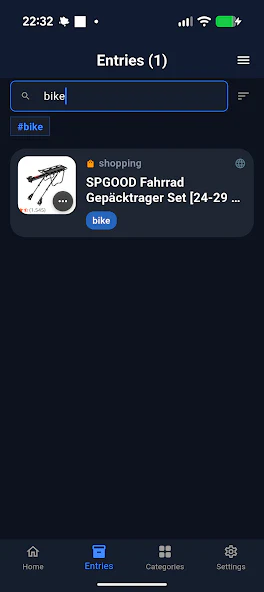
Search your local library and filter it with categories and tags.
Privacy by design
Snagito is designed around local ownership. Your personal library stays on your Android device.
Read how privacy worksYour saved library lives locally on your Android device.
Use your library without creating a profile or linking your activity to an online identity.
No advertising profiles, third-party analytics or account-based activity history.
See the released app
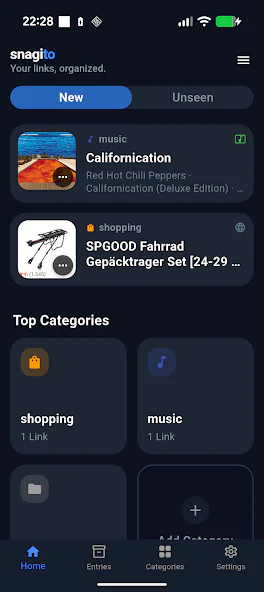
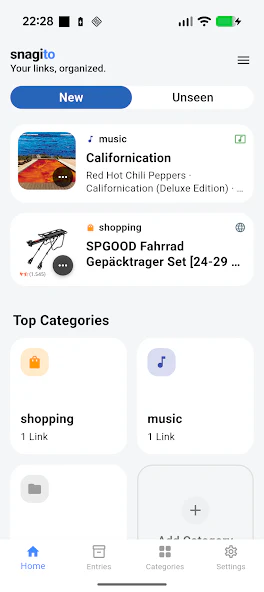
Official screens from the Android app show a visual library designed for quick scanning and easy retrieval.
Frequently Asked Questions
Answers to key questions about Snagito, privacy practices, and offline bookmark management.
Snagito is a private, local-first bookmark manager and content saver for Android. You can save links, text, screenshots, and files directly from any app and organize them locally with categories and tags. A companion browser app lets you take your library to a computer.
Yes. Snagito is free to install and use, and there is currently no paid tier. You do not need a subscription to save, organize, or search your library.
Your library stays on your device. Snagito keeps your saved items, tags, and categories locally and does not store them on a server. If you choose to transfer your library to the browser app, the content is encrypted on your device before it is sent, relayed only temporarily, and deleted automatically after a short time.
No. You can start using Snagito immediately after installing it without creating an account or providing an email address.
You share content to Snagito from the standard Android share menu, add categories or tags, and find it again at any time through search.
Yes. The Snagito browser app at web.snagito.app can receive your library from the Android app. You generate a QR code in the browser, scan it in the app, and the transferred entries appear in the browser with their categories and tags. The current Play release transfers up to 10 entries per scan.
Start with the device in your hand