Snagito Pro
Your whole library, backed up and in the browser.
Pro adds an encrypted backup in your own Google Drive and brings your entire library to the browser. Everything the free app does stays free.
Install Snagito from Google Play, open Pro in the app and pick a plan.
01Pick how your library reaches the browser
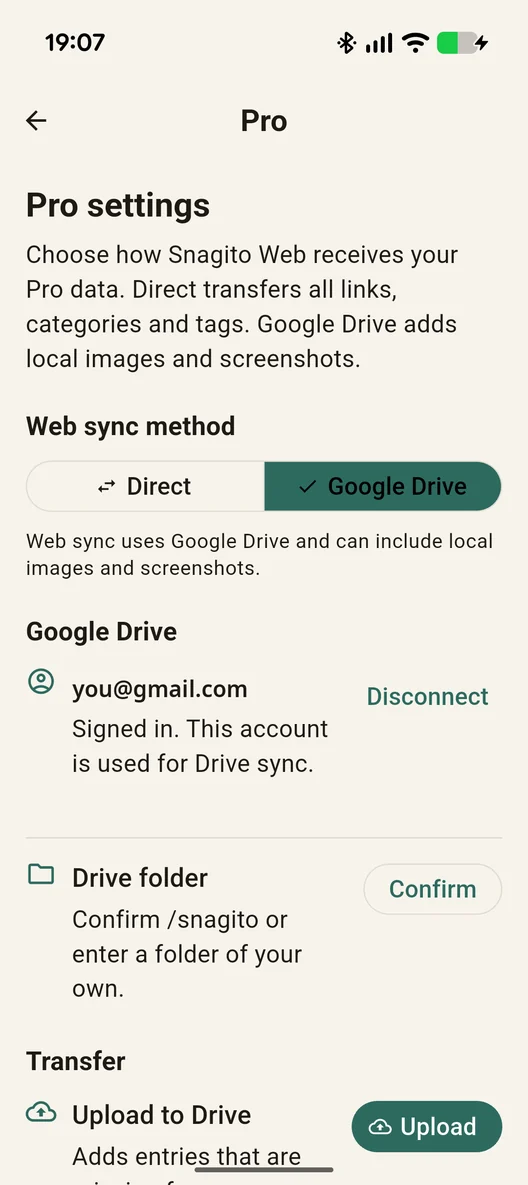
Direct sends all your links, categories and tags with one scan — no longer just the 10 newest. Google Drive adds your local images and screenshots. You sign in with Google once, and Snagito only sees the files it creates itself.
02An encrypted backup in your own Google Drive
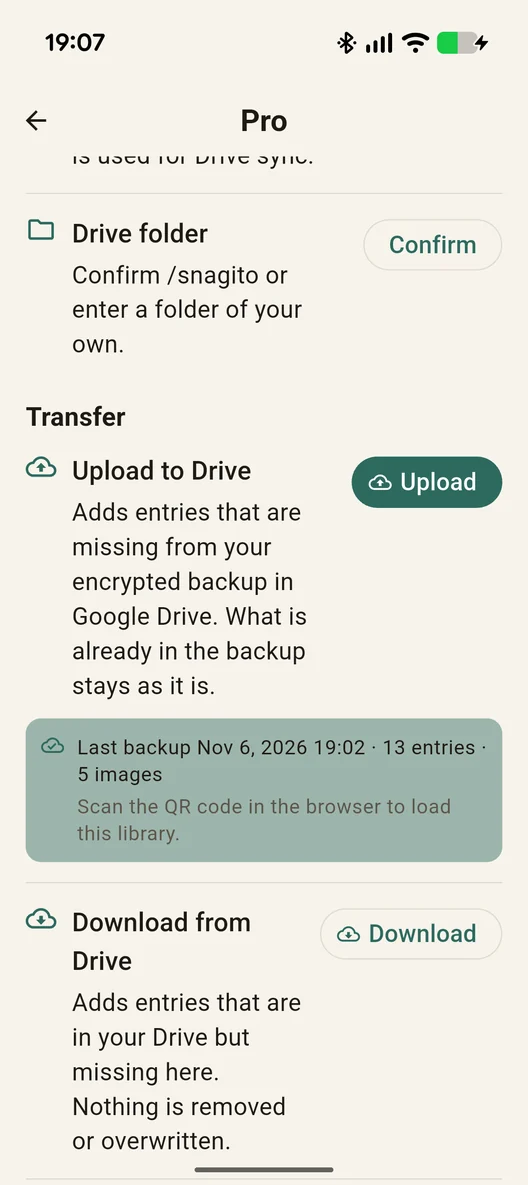
Upload adds whatever is missing from your backup, encrypted on your phone before it leaves. On a new phone, download brings everything back. Neither step removes or overwrites anything, and the app shows when you last backed up.
03The key stays with you
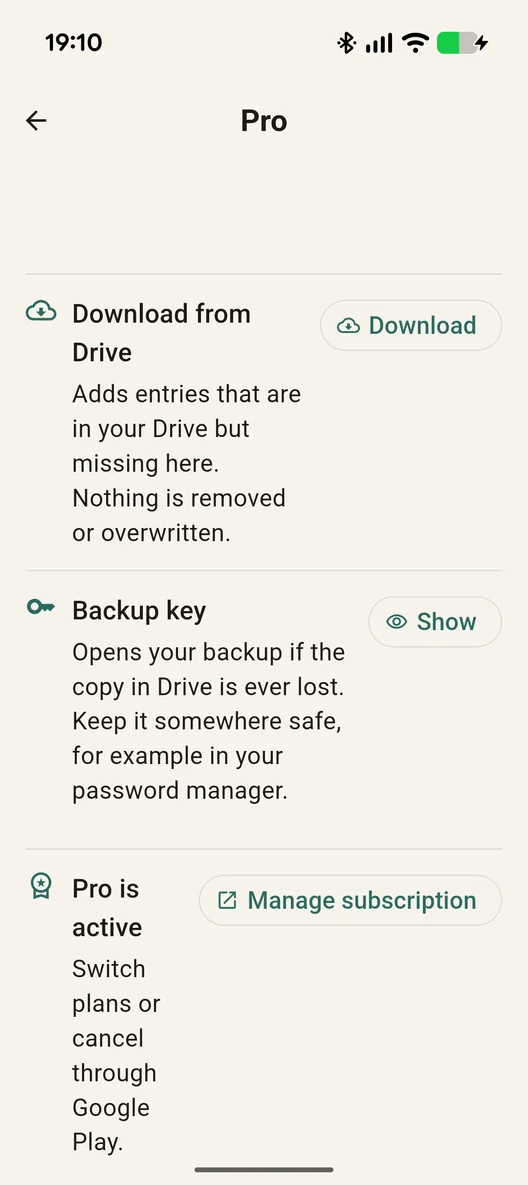
Your backup is encrypted with a key we never see. Keep a copy, for example in your password manager, and you can open the backup even if the copy in Drive is lost. Your subscription is managed in Google Play, one tap away from the app.
How the subscription works
- Monthly or yearly through Google Play. The yearly plan works out cheaper per month, and Google Play shows the price in your currency before you confirm.
- Cancel at any time in Google Play, also straight from the Pro settings in the app. Pro stays active until the end of the period you have paid for.
- Your data stays yours: the backup lives encrypted in your Google Drive, and if you cancel, the app keeps working with your local library.
Saving, organizing and searching stay free, with no account and no time limit. Pro adds the backup and the full transfer to the browser, and keeps the same library on several devices: upload on one, download on another, and each gets what it is missing. More Pro features are on the way.
See what’s coming next and vote →