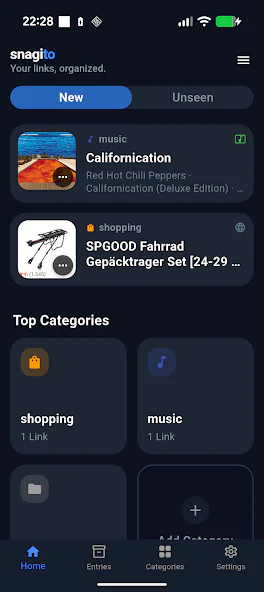
01
Save without breaking your flow
Share a link, screenshot, file or piece of text from any Android app straight to Snagito. There is no separate app to switch to and no extra steps before you are back to what you were doing.

What you can do with it
A closer look at how Snagito captures, organizes and finds what you save on the real, released app — not a mockup.
Share a link, screenshot, file or piece of text from any Android app straight to Snagito. There is no separate app to switch to and no extra steps before you are back to what you were doing.
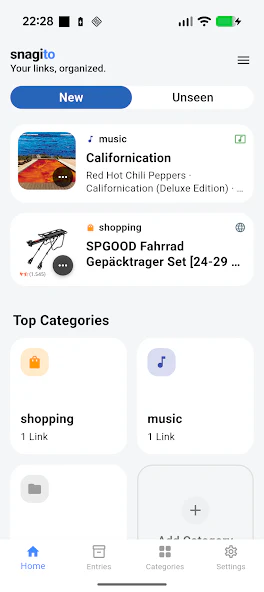
Group entries into categories with your own names, colors and icons, and add tags to anything that cuts across categories. The structure is yours, not an algorithm's.
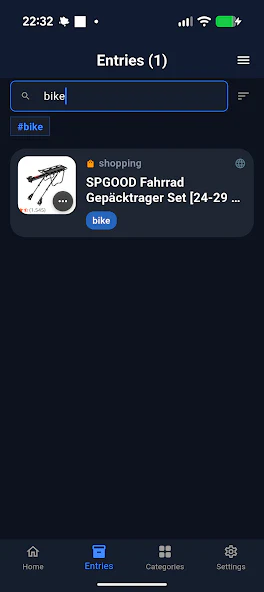
Search titles, descriptions and tags together, or browse by category. Search runs on your device — there is no server round trip and nothing leaves your phone.
Optional
Scan a one-time QR code in the Snagito web app to send an encrypted copy of your library to your browser. The transfer is temporary and the relay in between never sees the unencrypted content.
Open web.snagito.app →Good to know
Start with the device in your hand